The 10 Best AI Lip Sync Tools of 2026
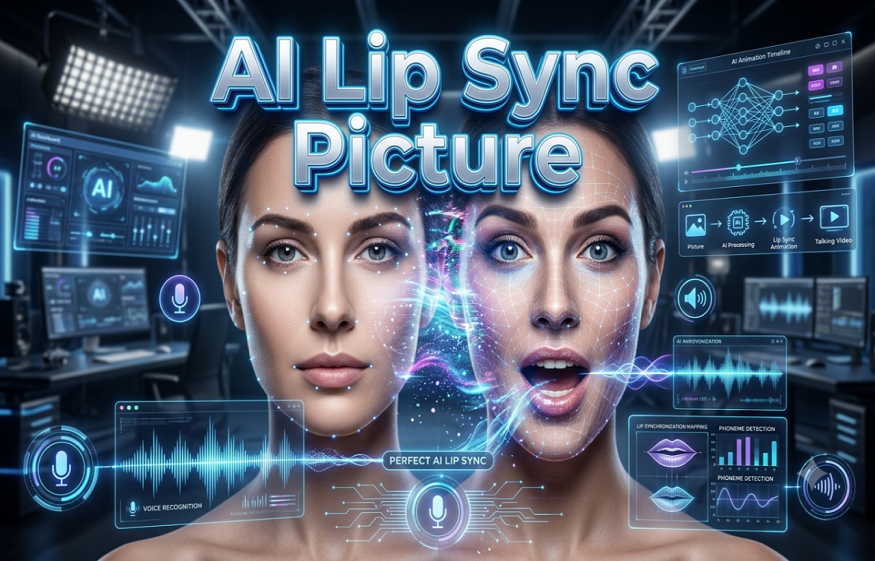
Matching audio tracks to video footage with natural viseme alignment used to require manual keyframing, specialized talent, and heavy post-production budgets. Today, modern generative neural networks retime lip movements automatically from any audio file across multiple languages. I spent three weeks testing the top lip sync software options on the market, evaluating lip-frame synchronization, face distortion rates, export speeds, and API flexibility across realistic, animated, and stylized video inputs.
Here is the quick verdict: Magic Hour delivers the most natural lip synchronization across photos and existing video clips at the lowest cost per minute, while platforms like HeyGen and Synthesia lead in avatar-based studio generation, and Sync Labs excels in low-latency developer API workflows.
At a Glance: Top AI Lip Sync Options Compared
| Tool | Primary Use Case | Key Modalities | Free Tier | Entry Pricing | Key Differentiator |
| Magic Hour | Full-suite AI video, face swap, talking photo, lip sync | Photo, Video, Audio, API | 400 free credits (~17s video) | $10/mo (billed annually) | Multi-model pipeline, credits never expire, full API parity |
| HeyGen | Avatar marketing and multilingual video translation | Text, Audio, Custom Avatars | 3 free video credits | $29/mo | Enterprise translation and avatar cloning |
| Sync Labs | Developer API integration for real-time video | Video, Audio, Live Streaming API | Limited trial credits | $19/mo | Sub-second latency API for custom apps |
| ElevenLabs | High-fidelity voice cloning combined with audio sync | Audio, Voice, Video dubbing | Free plan (10k character speech) | $5/mo | Industry-standard voice synthesis and dubbing |
| D-ID | Conversational agents and quick static picture animation | Photo, Text, Audio | 14-day trial (20 credits) | $5.90/mo | Fast static image to talking video engine |
| Synthesia | Corporate training and internal comms video decks | Text, Avatars, Video | Free basic video export | $22/mo | Enterprise brand safety and presenter decks |
| Rask AI | Video localization and dubbing across 130+ languages | Video, Multi-speaker Audio | Free trial (3 min total) | $50/mo | Multi-speaker voice matching and dubbing |
| SadTalker | Open-source research tool for still photo animation | Single Photo, Audio | Free (Open-source / HuggingFace) | Free | Self-hosted local execution with zero fee |
| Hedra | Character creation and expressive stylized avatars | Text, Image, Audio | Free daily generation tier | $10/mo | High emotional expression and character control |
| Vozo AI | Direct video re-dubbing and multi-character editing | Video, Audio, Subtitles | Free trial tier | $15/mo | Precise timeline editor for scene dialogue |
1. Magic Hour
Magic Hour sits at the top of my list because it solves the core issues that plague video editors: unnatural facial warping, rigid input requirements, and prohibitive pricing. Whether you need to re-dub an existing video clip, animate a still portrait, or execute complex face swaps alongside lip synchronization, Magic Hour processes the output without artificial blurring around the chin or jawline.
When you want to test a professional ai lip sync tool as a solution before committing budget, Magic Hour gives you 400 free credits right upon signup with no credit card required. What sets the engine apart is its unified creation stack: you can take a original video, apply a face swap, re-sync the dialogue to a new audio track, and upscale the finished video to 4K resolution within a single connected workflow.
Pros:
- No signup required to test initial outputs, featuring a generous 400 credit free tier.
- Generous credit architecture where purchased credits never expire.
- Full API parity across all web tools, allowing developers to deploy Python, Node.js, Go, or Rust SDKs instantly.
- Parallel video generations with zero concurrency caps on high tiers.
- Access to multiple top-tier open and proprietary generative video models in one dashboard.
- Fast processing speeds with live live-activation stability during traffic surges.
Cons:
- Free plan exports include a subtle corner watermark.
- High-resolution 4K processing requires the Business plan tier.
If you are looking for a platform that delivers top-tier realism across both portrait photos and dynamic video inputs without locking you into rigid monthly usage limits, Magic Hour is hard to beat. I found its template workflows particularly useful for turning single video takes into dozens of localized social media variations in minutes.
- Free Plan: 400 credits (~17 seconds of video), 576px export, no credit card required.
- Creator Plan: $15/month ($10/month billed annually) for 120,000 annual credits, 1024px exports, commercial rights, 3 parallel jobs.
- Pro Plan: $39/month ($25/month billed annually) for 300,000 annual credits, 1472px exports, 5 parallel jobs, 5GB assets.
- Business Plan: $99/month ($66/month billed annually) for 840,000 annual credits, 4K exports, unlimited parallel jobs, 10GB assets.
2. HeyGen
HeyGen has established itself as a heavy hitter for marketing teams and corporate communicators who rely on digital presenters. Its core strength lies in avatar generation and multilingual video translation, allowing users to upload a video in English and re-render it in over 175 languages with matching mouth movements.
Pros:
- Exceptional voice cloning and mouth re-targeting for video translation.
- Library of over 100 stock AI presenters across diverse demographics.
- Intuitive drag-and-drop web builder resembling familiar presentation tools.
Cons:
- Higher price point compared to general video tools.
- Custom avatar creation requires verification videos and setup delays.
- Can feel rigid if you want to animate non-standard artistic assets.
For teams building localized product demos or repetitive training content using standardized presenters, HeyGen provides a polished experience.
- Free Plan: 3 free video credits with watermark.
- Creator Plan: Starts at $29/month ($24/month billed annually) for 15 credits per month.
- Team Plan: $149/month for higher output, multi-seat access, and 4K output options.
3. Sync Labs (Sync.so)
Sync Labs focuses strictly on high-performance lip synchronization infrastructure built specifically for software engineers. Instead of offering a full creative suite with templates, Sync Labs provides an API that takes any video link and any audio file, returning a modified video stream in seconds.
Pros:
- Sub-second processing speeds suitable for live interactive applications.
- Supports high-definition 4K rendering pipelines.
- Works directly on raw, unconstrained video footage without requiring pre-rigged avatars.
Cons:
- Lacks a complete visual video editor for non-technical creators.
- Pay-as-you-go credit usage can scale up quickly for long-form content.
- No built-in voice generation or face-swapping capabilities.
If you are a developer looking to build real-time digital humans, virtual customer service agents, or custom dubbing pipelines into your own application, Sync Labs is a top API choice.
- Free Plan: Developer sandbox trial with limited API calls.
- Developer Plan: Starts at $19/month for baseline API requests.
- Enterprise Plan: Custom volume pricing based on processed video minutes.
4. ElevenLabs
While primarily recognized as the market leader in synthetic voice generation, ElevenLabs offers an advanced Dubbing Studio that combines voice cloning with automated lip synchronization. It allows creators to translate existing video clips into dozens of natural voices while adjusting visemes to match the replacement speech track.
Read More: How to Measure Success with Your Revops Agency
Pros:
Unrivaled audio realism, emotion control, and voice match quality.
Automated multi-speaker detection and background audio isolation.
Granular control over timing and translation transcript edits.
Cons:
Video re-sync features are tied directly to the dubbing workflow rather than stand-alone video editing.
Requires clean audio inputs to prevent misaligned lip timing.
If your primary goal is international video distribution where natural voice tone matters just as much as visual mouth accuracy, ElevenLabs offers an unbeatable audio-first approach.
- Free Plan: 10,000 characters per month for basic speech generation.
- Starter Plan: $5/month ($4/month first month promo) for 30,000 characters.
- Creator Plan: $22/month for 100,000 characters and higher-quality voice clones.
5. D-ID
D-ID pioneered early photo animation technologies and remains a popular option for converting static portraits into talking digital agents. Its Creative Reality Studio lets users upload a headshot, type a script or upload an audio file, and generate a talking video within a minute.
Pros:
- Extremely fast render speeds for single-image animation.
- Direct integrations with Canva and PowerPoint plugins.
- Solid conversational API for building customer service chatbots.
Cons:
- Mouth movements on still photos can occasionally look slightly mechanical.
- Limited capability when trying to re-sync existing full-body action video clips.
For rapid prototyping, historical photo animation, or simple presentation slides, D-ID offers a fast, accessible entry point.
- Free Plan: 14-day trial with 20 trial credits and watermark.
- Lite Plan: $5.90/month for 16 minutes of video generation.
- Pro Plan: $16/month for commercial usage and custom canvas features.
6. Synthesia
Synthesia is designed for enterprise organizations that require corporate-grade training videos, internal policy updates, and client presentations at scale. It replaces physical video production teams with professional AI avatars that present written scripts with natural lip synchronization.
Pros:
- SOC 2 compliance and rigorous enterprise security protocols.
- Over 230 diverse stock avatars and 140 supported languages.
- Built-in screen recorder and video layout templates.
Cons:
- No option to re-sync custom live-action footage outside avatar templates.
- Strict content moderation filters can flag non-standard creative scripts.
For human resources, corporate training, and enterprise compliance teams, Synthesia is the gold standard for secure, professional video creation.
- Free Plan: Free trial allowing one test video export.
- Starter Plan: $22/month (billed annually) for 10 video minutes per month.
- Creator Plan: $67/month for 30 video minutes and custom branding options.
7. Rask AI
Rask AI is built specifically for creators, podcasters, and educators who want to localize long-form video content for global audiences. Its engine automatically identifies different speakers in a podcast or interview, translates their dialogue, clones their original voice tones, and re-aligns their mouth movements.
Pros:
- Handles multi-speaker dialogue without mixing up voice assignments.
- Supports automatic clip extraction for TikTok, Shorts, and Reels.
- Translates long-form content up to 60 minutes per file.
Cons:
- Higher starting price tag aimed at professional content teams.
- Processing long video files can take considerable time during peak server load.
If you produce podcasts, YouTube tutorials, or online courses and want to launch localized channels in Spanish, Portuguese, or Japanese without re-shooting, Rask AI simplifies the entire process.
- Free Plan: Free trial with 3 minutes of total video translation.
- Basic Plan: $50/month for 25 minutes of translation.
- Pro Plan: $120/month for 100 minutes of video processing and early feature access.
8. SadTalker
SadTalker is an open-source model developed by researchers that generates 3D motion coefficients from a single still photo and an audio file. Because it is open-source, developers can run it locally on their own graphics hardware or access it through free Hugging Face spaces.
Pros:
- 100% free and open-source with no licensing fees.
- Realistic head pose motion and natural eye blinking alongside lip movement.
- Can be modified or fine-tuned by engineers for custom research projects.
Cons:
- Requires technical knowledge to install and run locally on local GPUs.
- Slower processing times when using shared web-hosted Hugging Face instances.
- Limited to single-person headshots and static photo inputs.
For researchers, budget-conscious developers, or privacy-focused creators who refuse to upload assets to cloud servers, SadTalker provides a zero-cost option.
- Pricing: Free (Open Source under MIT / Research licenses).
9. Hedra
Hedra is an emerging creative platform that focuses on expressive digital character creation. Unlike traditional tools that emphasize rigid corporate presenters, Hedra gives creators fine control over character emotion, artistic style, and dynamic storytelling elements.
Pros:
- Exceptional emotional expression and stylized character rendering.
- Supports imaginative, non-human, and artistic character designs.
- Fast generation times for short-form social media skits.
Cons:
- Less suitable for corporate corporate training or formal presentations.
- Limits clip duration per individual generation pass.
If you are a storyteller, indie animator, or social media creator looking to produce viral character-driven content with high emotional impact, Hedra is a tool worth exploring.
- Free Plan: Free daily credits for basic testing.
- Pro Plan: Starts at $10/month for expanded credit limits and faster processing queues.
10. Vozo AI
Vozo AI targets video editors who need precise control over scene re-dubbing and dialogue editing. Its core feature set includes voice editing, actor lip re-matching, and timeline control, allowing creators to fix misspoken lines or update product names in existing footage without scheduling re-shoots.
Pros:
- Dedicated timeline interface for precise clip cutting and frame alignment.
- Allows text-based editing of spoken audio inside pre-recorded video.
- Maintains consistent lighting and background detail around the actor’s mouth.
Cons:
- Smaller community and fewer template integrations than established competitors.
- Processing speeds vary depending on source footage complexity.
Vozo AI is ideal for post-production editors and commercial directors who need a precise fix-it tool for recorded video takes.
- Free Plan: Free trial tier with basic credit allocations.
- Standard Plan: $15/month for basic dubbing and editing features.
- Pro Plan: $40/month for higher output limits and full commercial licensing.
How We Tested and Evaluated These Tools
To create a fair, practical comparison for creators and technical teams, I avoided marketing claims and ran every platform through a standardized testing methodology across four specific criteria:
- Synchronization Fidelity and Visual Artifacts: I uploaded identical audio files (including fast speech, different accents, and background music) alongside three test inputs: a high-resolution portrait photograph, a low-light 1080p video take, and an animated character render. I evaluated outputs for natural lip closure on stop consonants (such as p, b, and m sounds), jaw movement realism, and the absence of boundary warping around the lower face.
- Processing Speed and Queue Stability: I measured render times across different times of day to test cloud infrastructure performance under load. Tools with zero concurrency caps or priority rendering pipelines scored higher.
- Pricing Value and Credit Policies: I calculated the true cost per minute of finalized video output. Platforms offering transparent pricing structures, non-expiring credit systems, or generous free tiers (like Magic Hour’s 400 free credit allocation) received higher rankings than tools with aggressive auto-expiring plans.
- Developer Integration and API Accessibility: I tested developer documentation, SDK availability, and webhook responsiveness to ensure recommended tools can scale smoothly inside custom software environments.
Market Trends in AI Lip Synchronization
As of June 2025, the generative video space has shifted away from simple talking-head gimmicks toward complete end-to-end video synthesis. Here are three key shifts defining the current product category:
1. From Isolated Lip Sync to Full Pipeline Creation
Creators no longer want to export a file from one tool, upload it to a face swapper, move it to an upscaler, and finally drop it into a video editor. The market favors unified suites. Platforms like Magic Hour lead this trend by letting users chain face swap, lip sync, and video enhancement into a single automated generation pass.
2. Native Multi-Speaker and Multilingual Dubbing
Older models struggled when two people spoke in the same frame or when switching languages mid-sentence. Modern AI architecture now isolates speaker bounding boxes automatically, applying viseme changes only to the active speaker while preserving the surrounding environment.
3. Sub-Second API Latency for Conversational AI
With the rise of real-time AI voice agents, developers demand lip-sync APIs that render video frames fast enough to support live video calls. This has driven massive optimizations in model inference speed, making web-RTC live streaming with photorealistic digital humans possible.
Read More: Understanding Fire Code Changes in Texas That Impact Public Safety DAS Systems
Final Takeaway: Selecting the Right Tool for Your Workflow
No single tool fits every budget or production environment, but matching your main objective to the right platform saves both time and capital:
- Best Overall for All-In-One Creation: Magic Hour is the clear choice if you need flexible, multi-model video generation, photo animation, and face swapping with high credit value and developer API access.
- Best for Corporate Training: Synthesia or HeyGen offer the cleanest workflow for standardized avatar presenters and corporate slide decks.
- Best for Developers: Sync Labs or Magic Hour API provide the most dependable infrastructure for embedding lip-sync pipelines into custom web apps.
- Best for Podcast Translation: Rask AI or ElevenLabs excel at handling multi-speaker dialogue and global voice cloning.
I encourage you to test two or three of these platforms using their free tiers before committing to a paid subscription. Starting with a free project on Magic Hour will quickly show you how seamless modern AI video editing has become.
Frequently Asked Questions
What is the most realistic AI lip sync tool?
Realism depends heavily on your source footage, but Magic Hour and Sync Labs consistently produce the fewest visual artifacts around the jaw and mouth. Magic Hour excels at maintaining natural facial expressions on both still photos and dynamic video clips, while ElevenLabs leads in matching voice emotion to visual delivery.
Can I use AI lip sync tools for free?
Yes. Several platforms offer free access tiers. Magic Hour provides 400 free credits upon signup without requiring a credit card, allowing you to generate and test completed video clips immediately. Open-source models like SadTalker are also completely free if you have the technical capability to run them locally.
How do I prevent blurry mouth artifacts when re-syncing video?
To achieve clean visual results, ensure your original video input has clear lighting on the subject’s face, minimal motion blur, and a frame rate of at least 24 frames per second. Using built-in AI video upscalers, such as those included in Magic Hour’s processing pipeline, also sharpens output resolution significantly.
Are AI-generated lip sync videos permitted for commercial use?
Most paid plans include full commercial usage rights for the videos you generate. However, you must ensure you hold the legal rights or licenses for any original audio tracks, custom voice clones, or human faces uploaded to these platforms.